
Scan on your Xerox. Review in SavviAIX.
Put the paper in the printer and tap Send. Each document arrives in your SavviAIX review queue with its data already extracted. Nobody opens a computer, emails a scan to themselves or names a file.
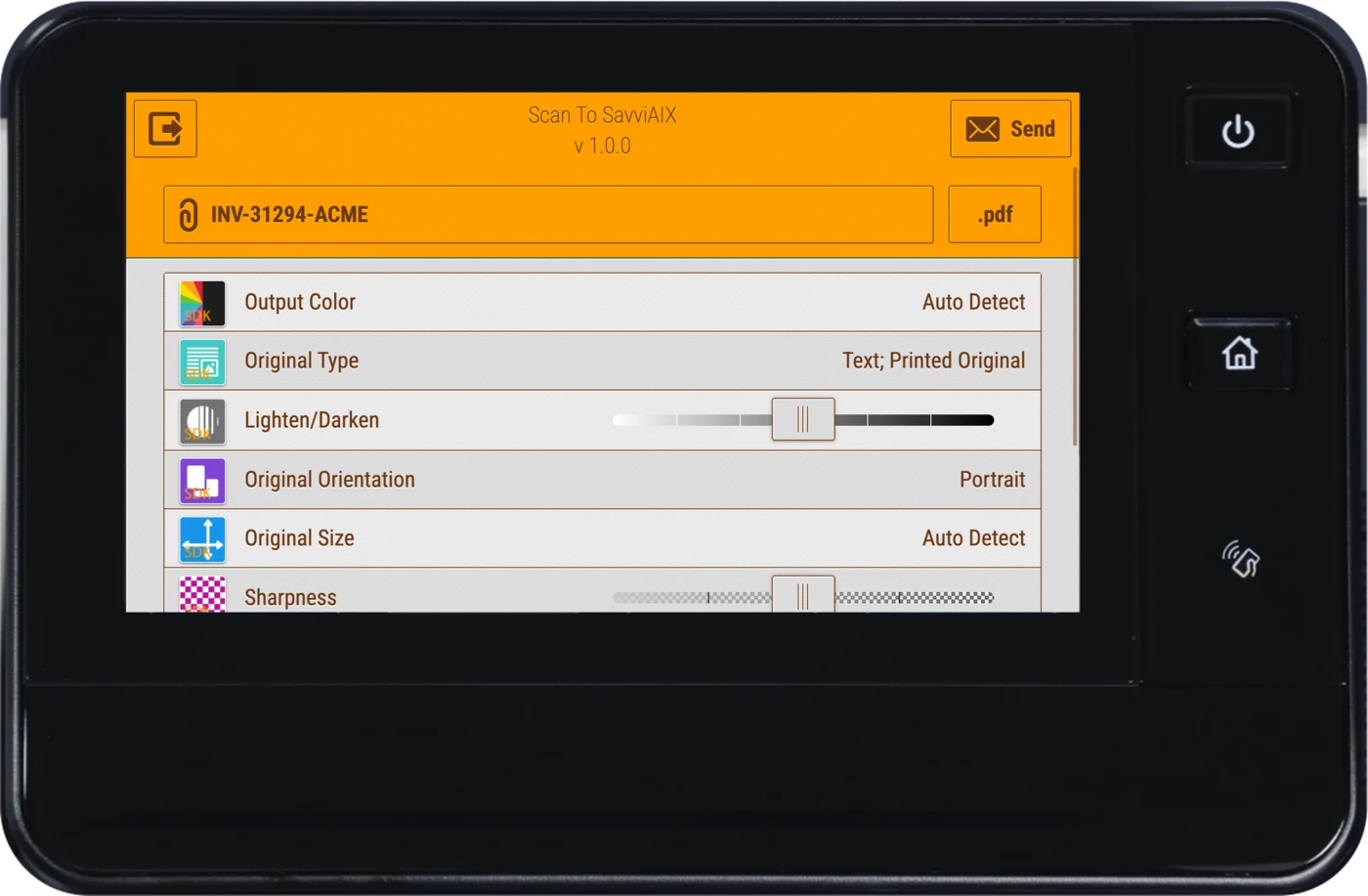
From the printer to your books.
Xerox printer
Scan, then tap Send
No computer in the middle
SavviAIX
Data extracted
Headers and every line item
A person reviews
Every document, before anything posts
Approval
By the group set for that dollar amount
Your accounting system
Posted
Nobody keys it again
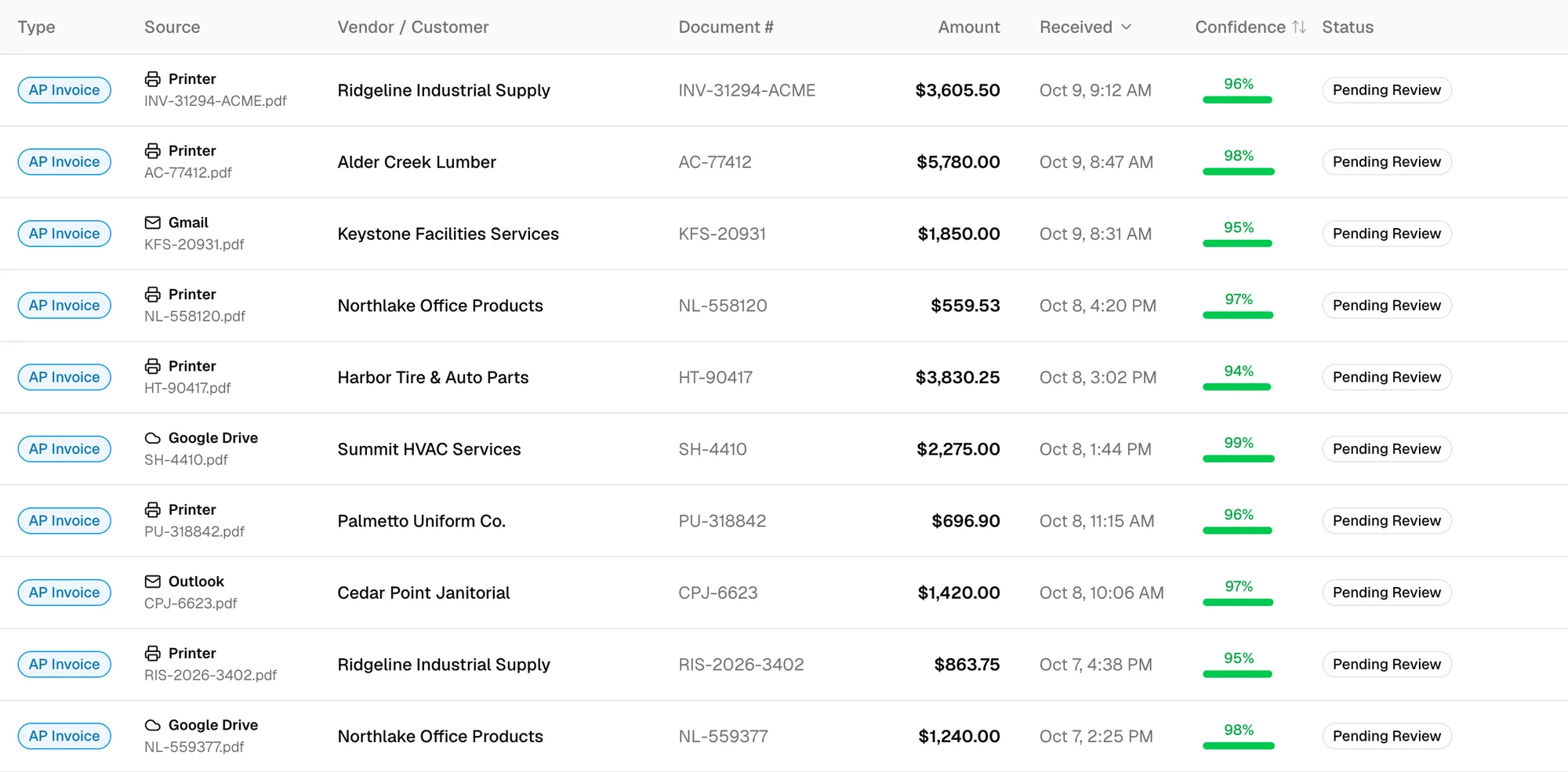
Scans join your other documents.
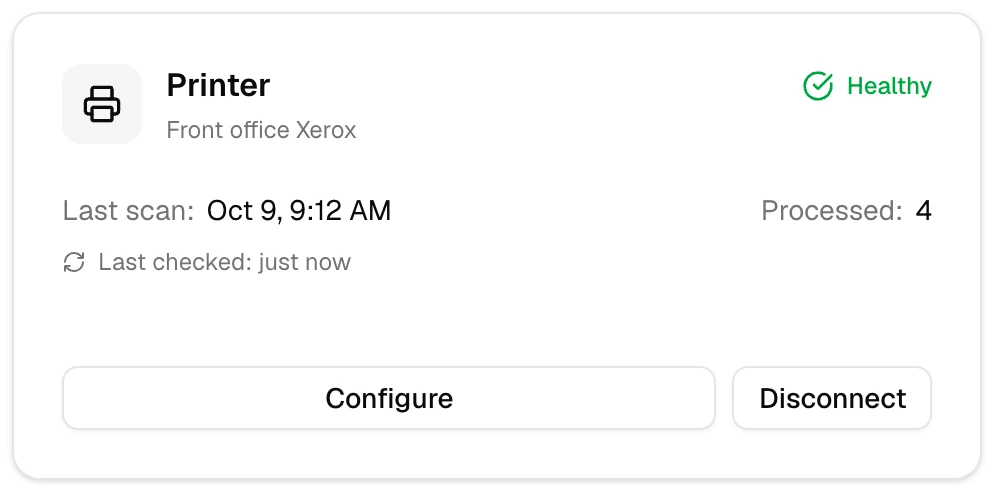
A scan lands in the same queue as documents from email, Google Drive and OneDrive, and shows which printer it came from. Each printer you connect has its own card, with its last scan and the number of documents it has delivered.
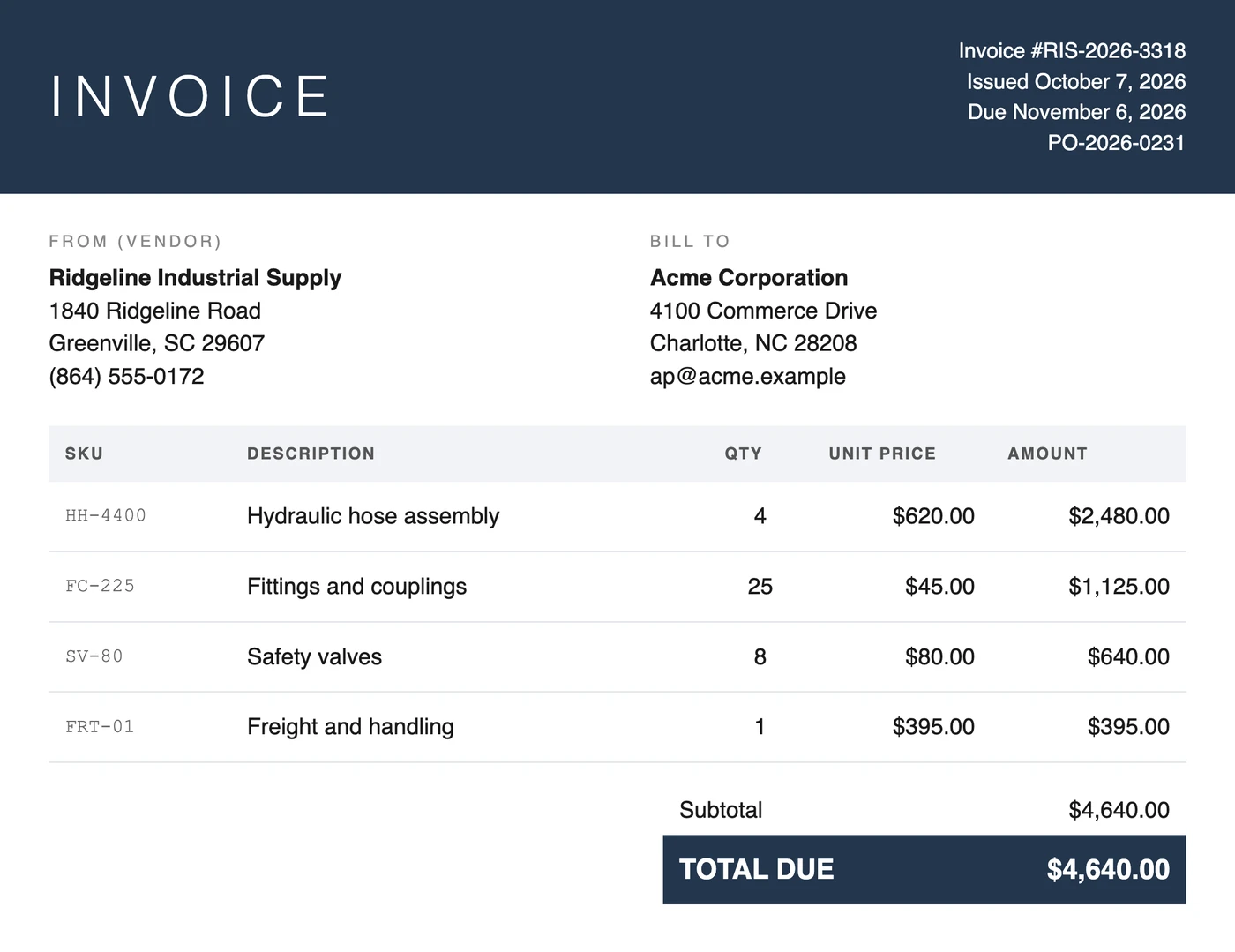
Matched to the purchase order.
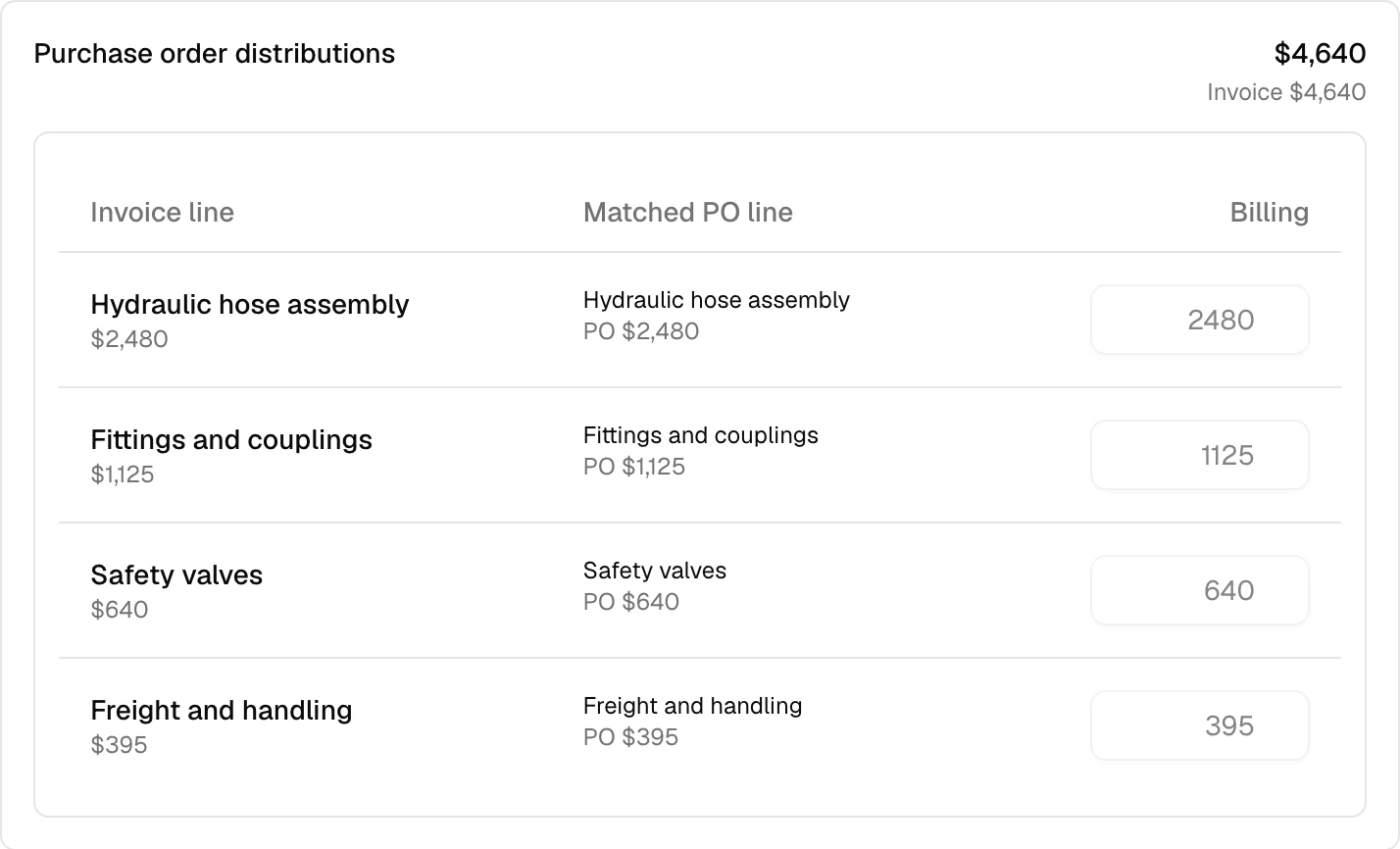
Headers and every line item are extracted from invoices, bills and purchase orders. Each invoice line is set beside the purchase order line it bills, and a person reviews every document before anything posts. Approval follows the dollar thresholds you set.
Nothing for IT to maintain.
Registering the app writes three things onto the printer: a name, an icon and one web address. The app itself runs from Savvior’s servers and loads when someone taps the icon.
- Nothing is installed on the printer
- No software sits on the device and no firmware is changed. There is nothing to patch and nothing to break in a firmware update.
- Every printer improves at once
- An improvement ships on our servers and reaches every printer without anyone touching one.
- Straight to your account
- The printer sends the scan itself, directly to your own SavviAIX account. No workstation is involved and no one’s PC has to be on.
- Colour at 300 dpi
- Extraction was checked against real scans from a Xerox printer at this setting.
Connect it once. Then anyone can scan.
-
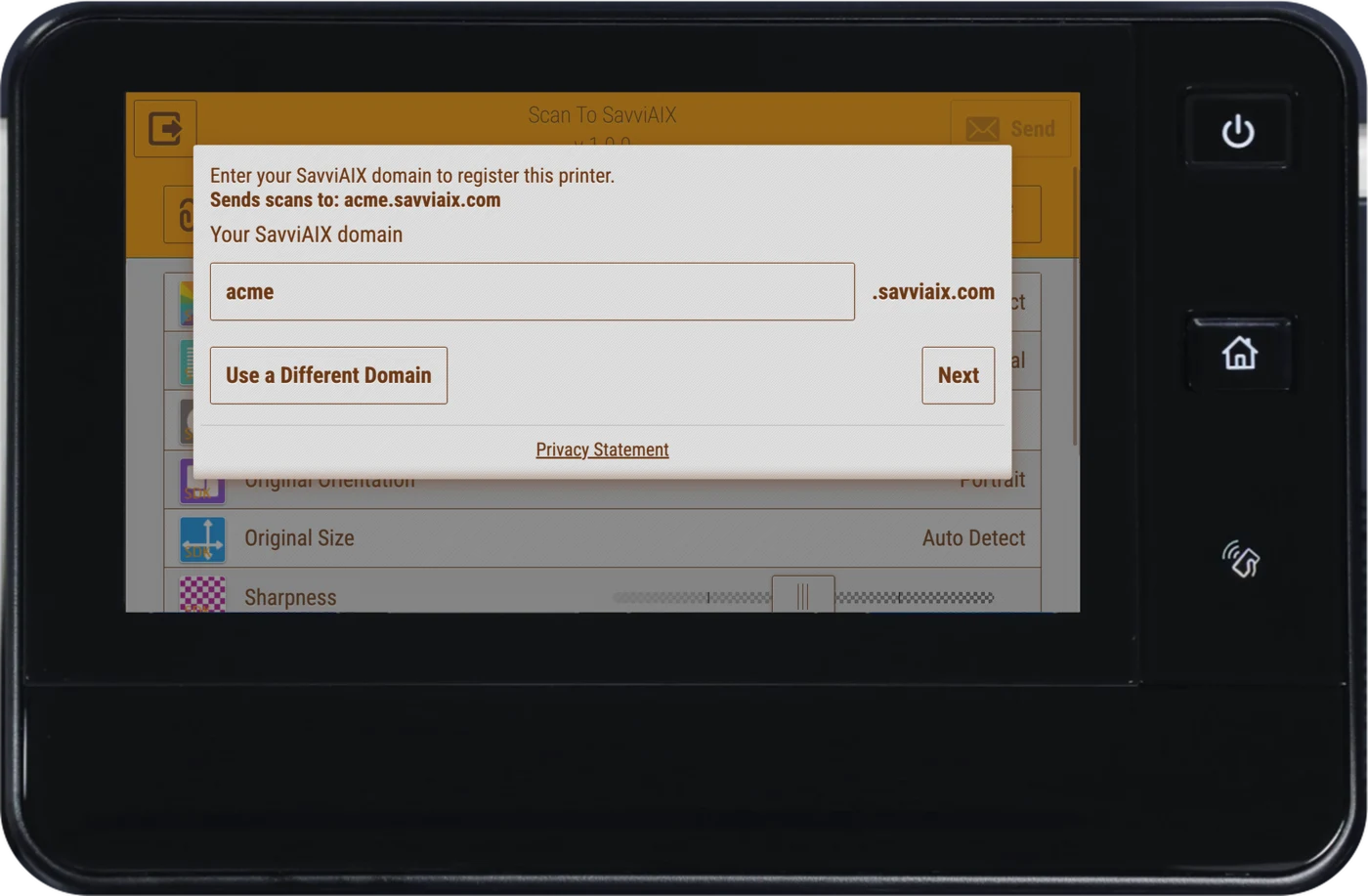
Enter your domain
Tap the app on the printer and type your SavviAIX domain. Every scan from this printer goes to that account. Each printer is set up once.
-
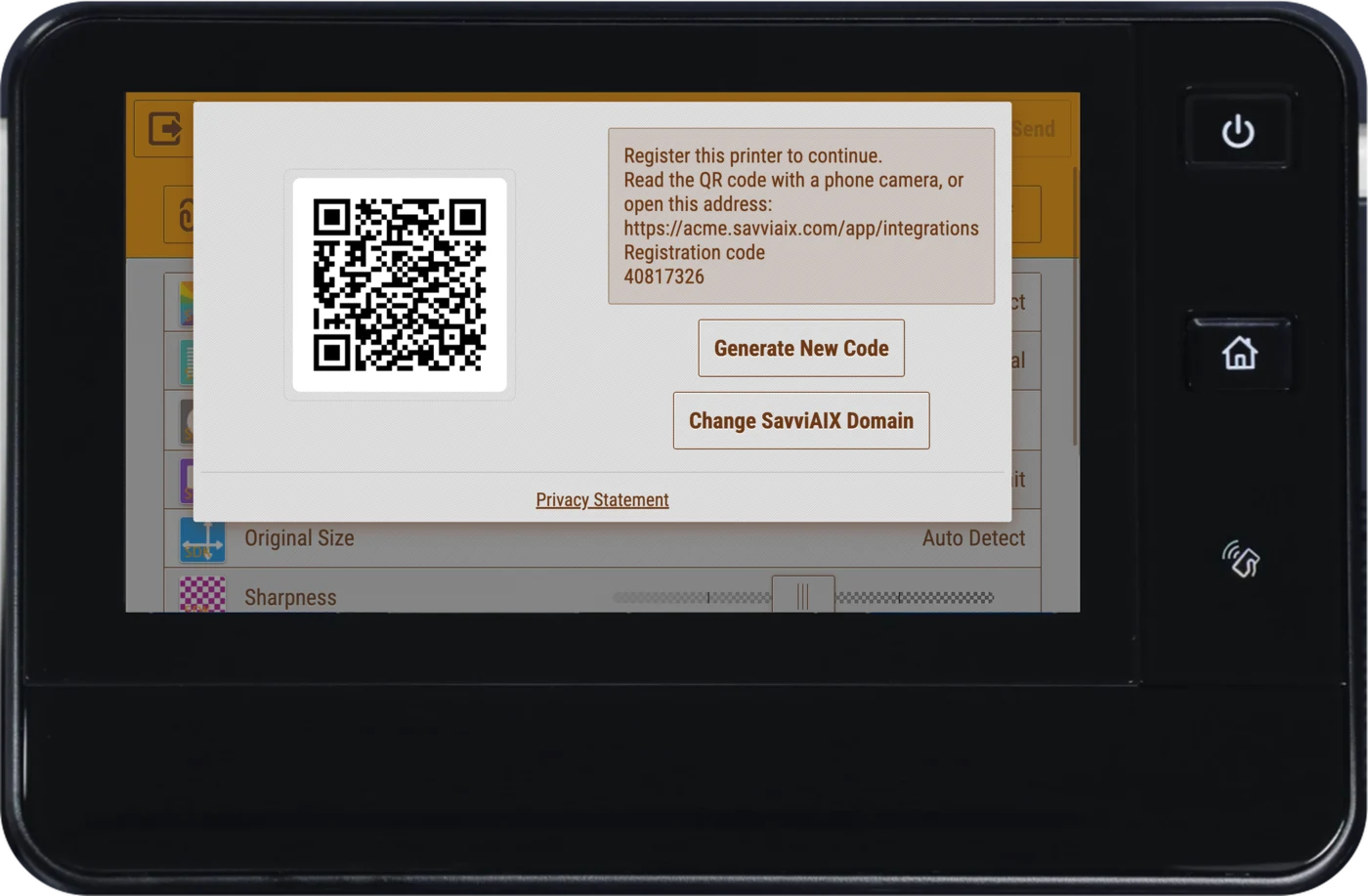
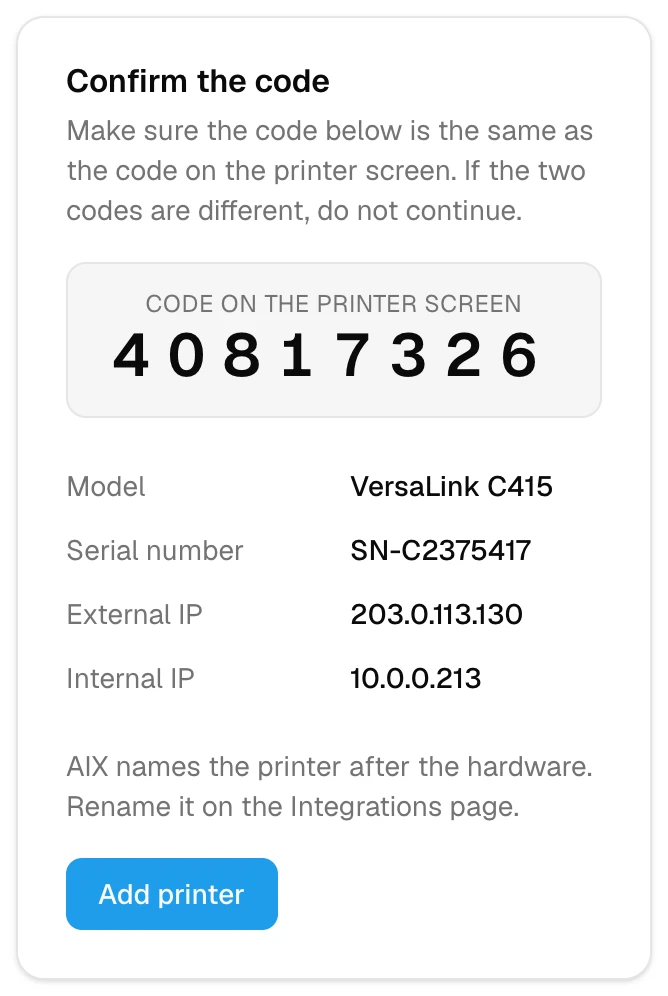
Confirm it from your phone
The screen shows a QR code and an 8-digit code. An administrator scans the QR code, or types the code into SavviAIX, and confirms the printer. Only someone with the code can attach a printer to an account.
-
Put paper in and tap Send
Choose a name if you like, then tap Send. The document arrives in SavviAIX with its data extracted. No one signs in at the printer.
What you need.
- A Xerox device, generation 9 or later
- Older devices show a message on the screen saying they are not supported.
- The device administrator password, once
- Your administrator registers the app on the printer with a short command or Xerox’s desktop client. It takes under a minute.
- A SavviAIX account
- Each printer connects to one account. Start a free trial or book a call to set one up.
- SOC 2 Type II
- Independently audited.
- No training on your data
- A contract term with every AI provider we use.
- Unlimited users
- Every approver and signer, at no extra cost.
- Published pricing
- From $49 a month, by the page. See every plan
See it on your own invoices.
Bring a few invoices, your approval thresholds and the name of your accounting system. We’ll show you how they land in it.
Prefer to try it yourself? Start a free trial
Calendar not loading? Open it in a new tab